Children's ministry check-in: what churches should consider
A good children's ministry check-in does two separate jobs: it keeps an accurate record of which children are in which room, and it makes sure each child goes home with an approved adult. Decide first whether you need both, then choose a process that's fast enough for a Sunday morning line, simple enough for volunteers, and careful with families' information. This guide walks through the decisions in order.
Start with the two jobs
1. Attendance
Which children are here, in which class, and how to reach their parents. Over time, this shows who's new, who's regular and which families have stopped coming.
2. Secure pickup
Making sure a child is released only to an approved adult, usually with matching labels or a pickup code that the parent shows at the end.
Every children's ministry needs the first. Whether you need the second depends on your building, your size and your child-safety policy. A small church where every child is collected by a parent the teachers know may handle pickup with a supervised doorway. A larger church with several services, a busy lobby and visiting families usually needs a formal pickup process.
Write down which of the two you need before looking at software. It narrows the options quickly.
The common ways churches check children in
A paper roster at the classroom door
A volunteer ticks names as children arrive. It's cheap and works anywhere, but the record lives on paper, visitors' details end up on scraps, and it does nothing for pickup on its own. Some churches pair it with numbered tag sets: one tag on the child, the matching one with the parent.
A staffed check-in desk
A volunteer looks up the family on a laptop and checks each child in. It's reliable and good for welcoming visitors, but it needs a trained volunteer every week and can create a line at peak times.
Self-service kiosks
Parents find their family on a tablet and check their children in themselves. If the kiosk prints labels, each child gets a name tag and the parent gets a matching pickup label. Fast once families know it, but it needs hardware (tablets, label printers, labels) and a volunteer nearby for first-timers.
Mobile or pre-check-in
Families check in on their own phone before they arrive or as they walk in, sometimes by scanning a QR code. Quick for regular families; less helpful for visitors who don't have the app or link yet.
Many check-in systems support more than one of these. Planning Center Check-Ins, for example, offers self-service, staffed and roster-style stations (Planning Center help).
Questions to answer before you choose
- Do you need printed labels and pickup codes? If yes, check that the system prints them on the hardware you can afford, and that the pickup step is something volunteers will actually enforce.
- How will allergies and medical notes reach the teacher? On a printed name tag, on the class list, or in the app? Make sure the teacher sees it without having to look it up.
- What happens when a first-time family arrives? Who greets them, what you ask for (child's name, grade, parent's phone, allergies), and how long it takes. Aim for under two minutes.
- How fast is the Sunday morning peak? Count your busiest ten minutes. Ten families arriving at once is a line at a single desk; it isn't at three kiosks.
- Who can see children's information? Teachers should see their class. Few people need the whole database.
- What does it cost all-in? Software plus tablets, printers, labels and replacement stock. Hardware is often the bigger number for a small church.
- What happens if the Wi-Fi drops? Ask how check-in behaves offline before the first Sunday it matters.
- Can you get the records out? You'll want attendance for reports and follow-up, and an export if you ever switch.
Practices that matter more than the software
- Check in at the start of class, every time. An incomplete record is worse than useless in an emergency.
- Keep a printed class list during the hour. If the power or Wi-Fi fails, teachers still know who's in the room.
- Follow your child-safety policy on pickup and ratios. Software supports the policy; it doesn't replace volunteers following it.
- Collect only what you'll use, and remove families' details when they ask or when you no longer need them.
- Follow up with first-time families within the week. The check-in record is what makes that possible.
Matching the approach to your church
| Small (under ~30 children) | Mid-sized | Large / multiple services | |
|---|---|---|---|
| Attendance | Paper roster, spreadsheet or a simple check-in app | Check-in app with history and reports | Check-in system tied to your church database |
| Pickup | Supervised doorway, or numbered tag sets | Printed labels or pickup codes, often | Printed labels or pickup codes |
| Hardware | One tablet or none | A tablet per entrance | Kiosks and label printers per entrance |
These are rough starting points, not rules. Your building, your policy and your volunteers decide.
Where RollCall fits
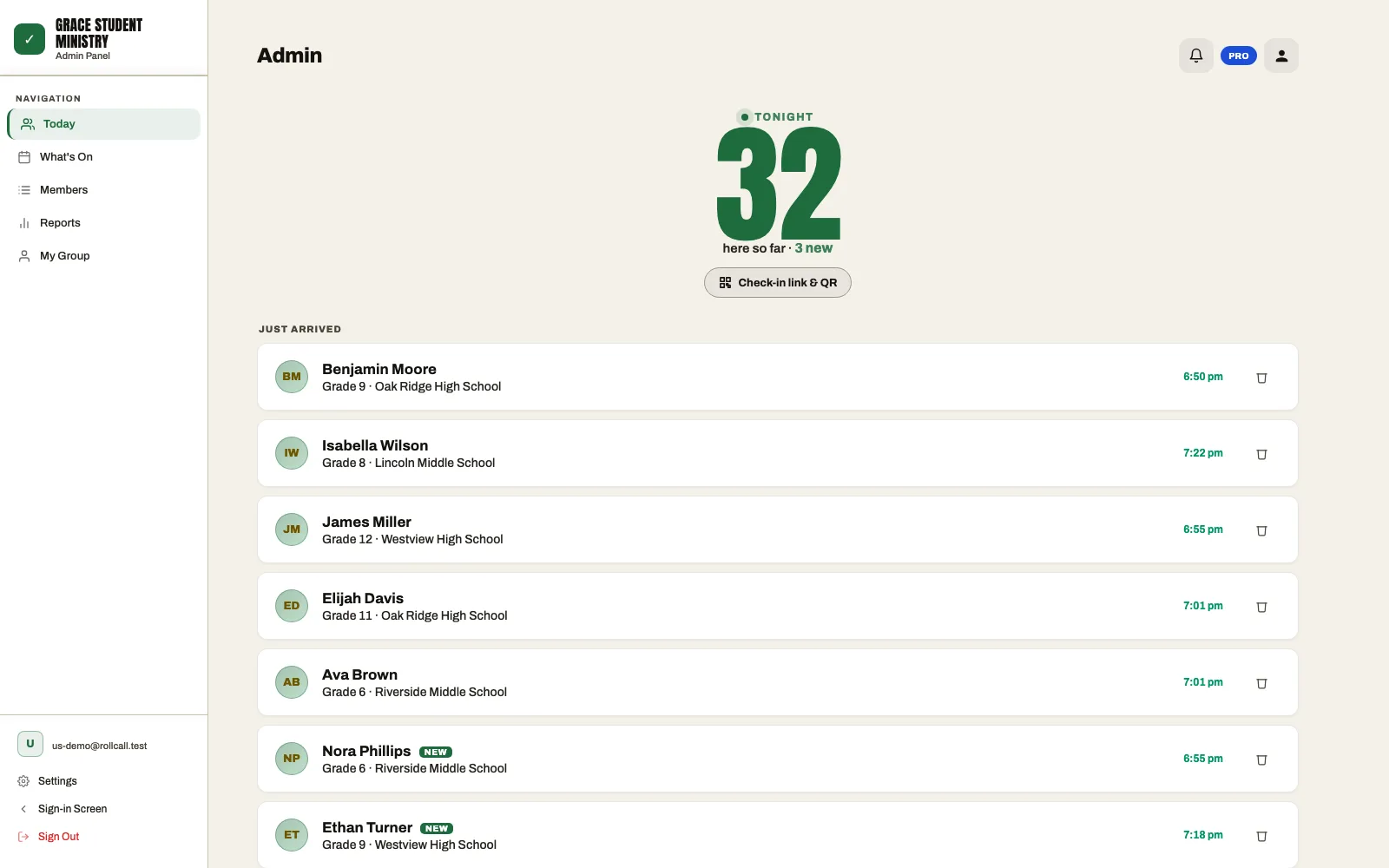
RollCall does the attendance job: a tablet at the classroom door (or a parent's own phone) where each child is checked in by name, a registration form for visiting families with a parent's phone, an emergency contact and any fields you add such as allergies, a live view of who's in each class, and history that shows first-timers and children who've missed two or more weeks. There's no hardware beyond a tablet, and it exports to CSV.
It doesn't do the secure pickup job: no printed name tags, no matching pickup labels or codes, and no check that a child is released to an approved adult. If your policy requires that, use a system that does it (Planning Center Check-Ins and KidCheck are two widely used options), or keep your supervised pickup process and use RollCall for the attendance record.
Common questions
Do we need security labels for children's check-in?
Not every church does. Labels and matching pickup codes matter most where many families arrive at once, children attend different rooms, or teachers don't know every parent. A small church may meet its child-safety policy with a supervised doorway. Check your own policy, your insurer's requirements and your denomination's guidance.
What information should we collect at children's check-in?
At registration: the child's name and grade, a parent or guardian's name and phone, an emergency contact if different, and allergies or medical notes. Each week, you only need to record who's there.
Can parents check their children in on their phones?
Many systems allow it. It's fastest for regular families; first-time visitors usually still need a greeter. In RollCall, a parent can scan your check-in QR code and check their child in from their own phone.
What if the Wi-Fi goes down on Sunday?
Keep a printed class list as a backup, and ask any vendor how check-in behaves offline. RollCall keeps working through brief dropouts and syncs when the connection returns.
How much does RollCall cost for a children's ministry?
RollCall is free for groups of up to 30 people, with no card needed and no time limit. Larger groups use Pro at US$9.99/month (a launch price; standard $19.99), which includes 150 people and starts with a 14-day free trial.
Want to see how this could work for your group? You can try RollCall free. It's free for groups of up to 30 members, with no card needed. Or see how RollCall works for churches.